빠른 요약
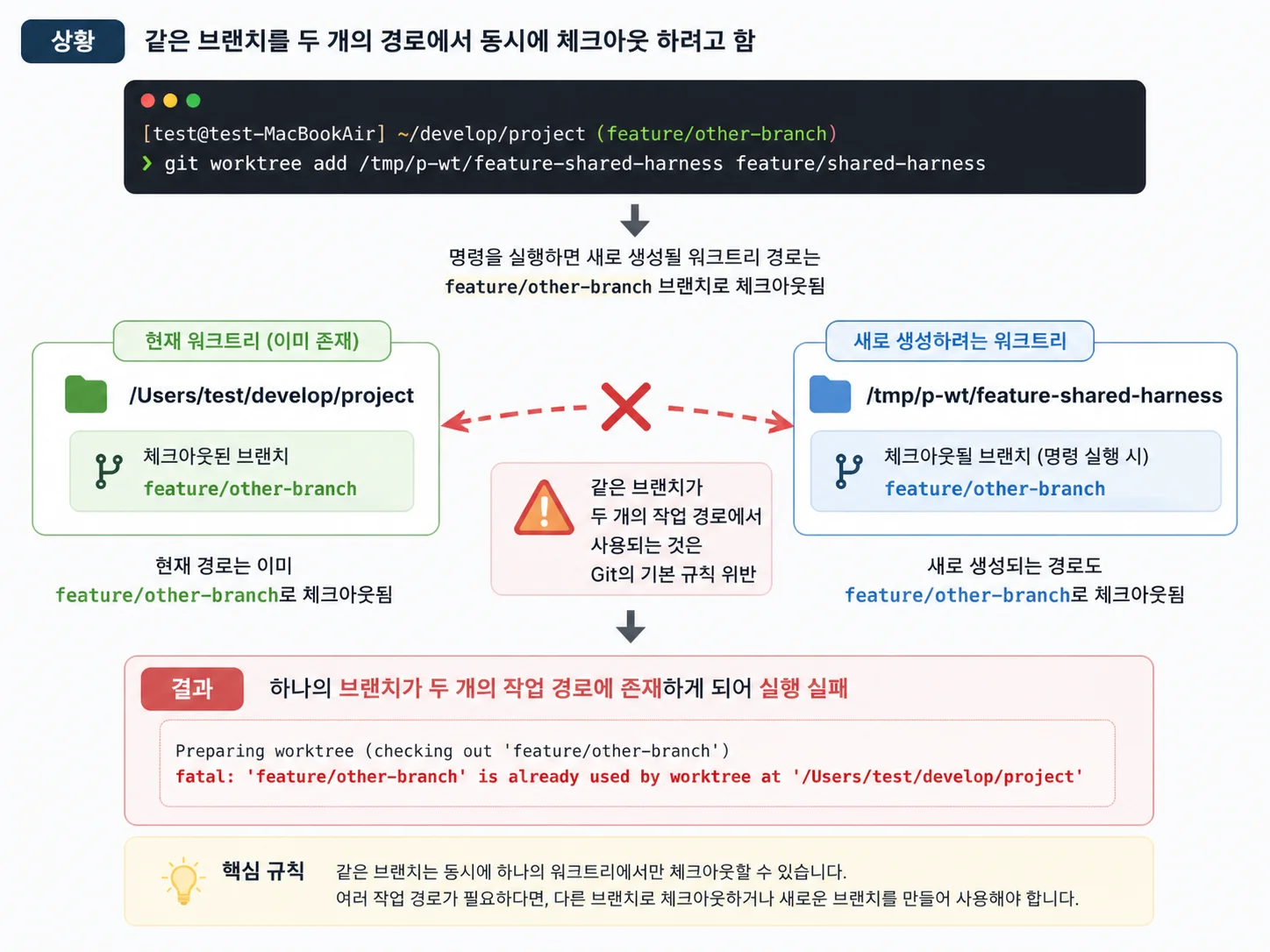
- 같은 브랜치를 두 개의 경로에서 동시에 체크아웃 할 시에 발생
- 이미 특정 경로
({path})에 해당 브랜치의 워크트리가 존재
- 현재 해당 브랜치
({branch})로 체크아웃된 상태에서 해당 브랜치의 워크트리를 생성하는 경우
상황
[test@test-MacBookAir] ~/develop/project (feature/other-branch)
❯ git worktree add /tmp/p-wt/feature-shared-harness feature/shared-harness
Preparing worktree (checking out 'feature/other-branch') fatal: 'feature/other-branch' is already used by worktree at '/Users/test/develop/project'
feature/other-branch로 체크아웃된 상태에서 해당 브랜치의 워크트리를 추가하려고함- 명령어 내부의 새로 생기는 worktree 경로인
/tmp/p-wt/feature-shared-harness가 생성될 시 해당 경로의 브랜치는 feature/other-branch가 된다.
- 하지만 현재 경로의 브랜치도
feature/other-branch이기에 하나의 브랜치가 두개의 작업경로에 생성되게 된다.
- 이는 git의 기본 규칙 위반으로 실행이 실패하게된다.
해결
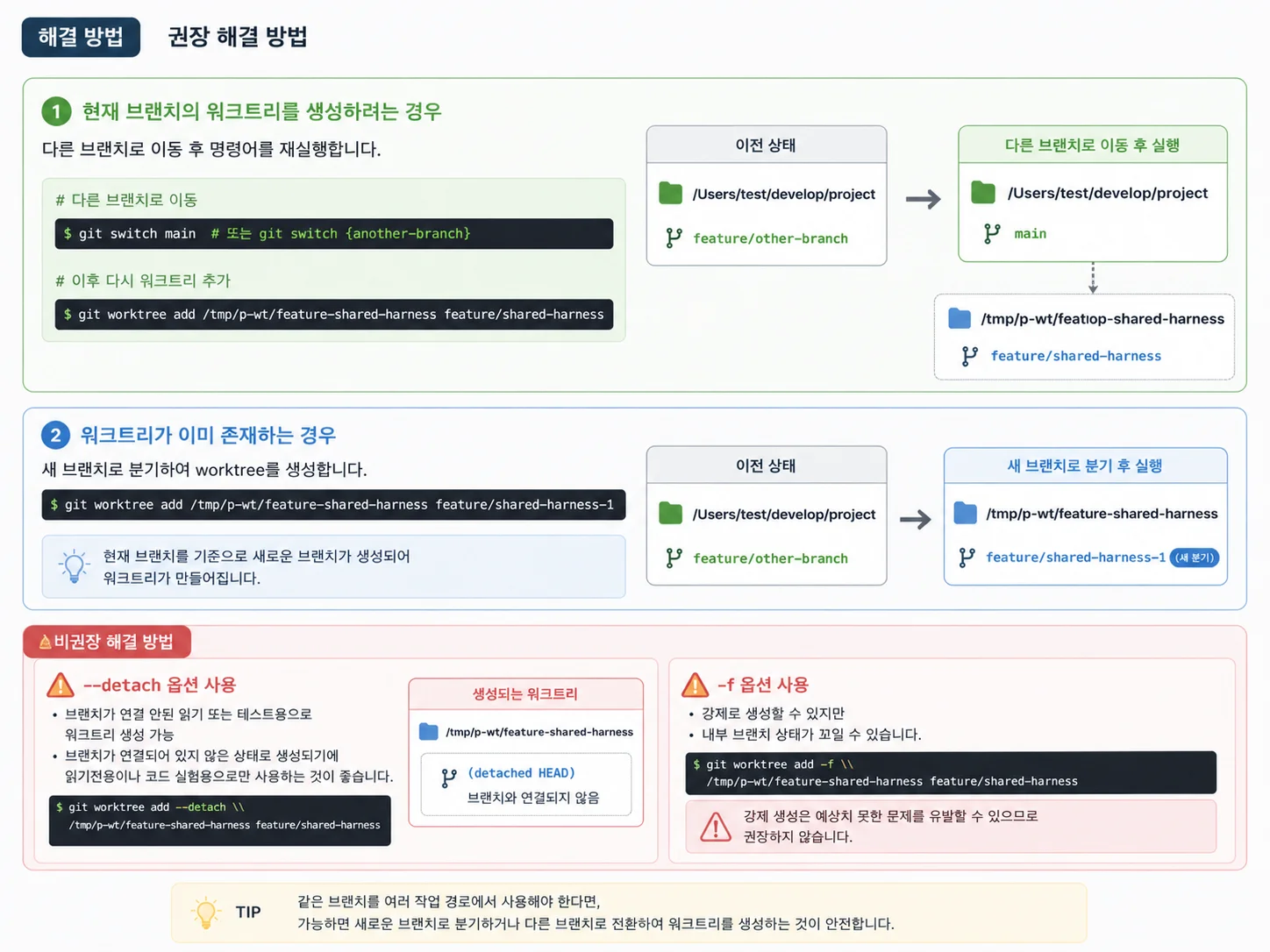
1. 현재 브랜치의 워크트리를 생성하려는 경우
git switch main 또는 git swtich {another-branch}를 통해 다른 브랜치로 이동 후 명령어를 재실행한다.
2. 워크트리가 이미 존재하는 경우
- 새 브랜치로 분기하여 worktree 생성
git worktree add /tmp/p-wt/feature-shared-harness feature/shared-harness-1- 위 처럼 현재 브랜치를 기준으로 새로운 브랜치가 생성되게 한다.
비권장 해결법
--detach 옵션을 명령어에 추가하여 브랜치가 연결 안된 읽기 또는 테스트용으로 워크트리 생성 가능
- 하지만 브랜치가 연결되어 있지 않은 상태로 생성되기에 읽기전용이나 코드 실험용으만 사용하는게 좋다.
git worktree add --detach /tmp/p-wt/feature-shared-harness feature/shared-harness
-f 옵션을 명령어에 추가하여 강제로 생성
- 내부 브랜치 상태가 꼬일 수 있음
git worktree add -f /tmp/p-wt/feature-shared-harness feature/shared-harness